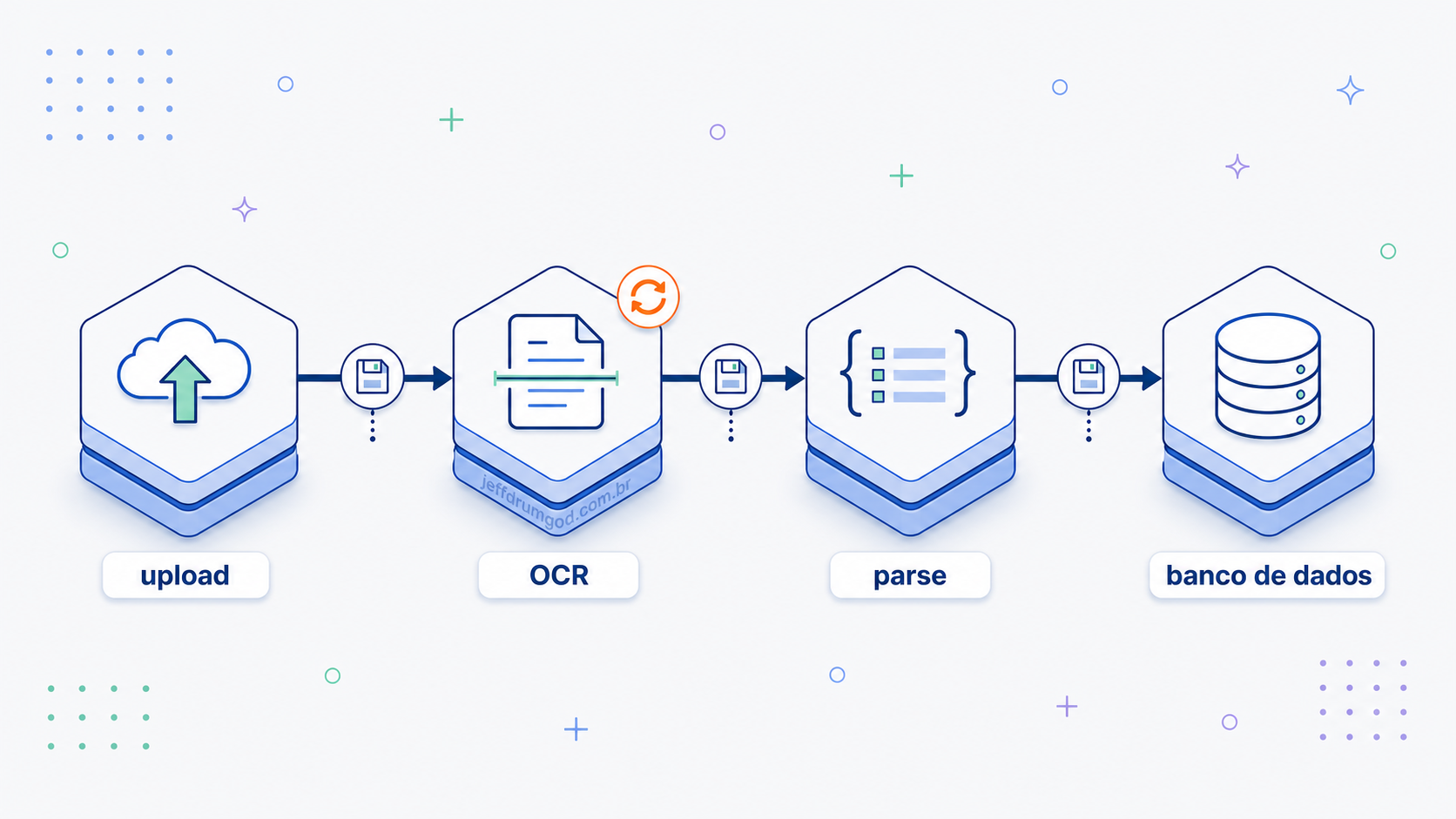
You've written that handler that does four things in a row: uploads a file, calls an external API, processes the result, writes to the database, and prays none of them fails along the way. When one does, the work already done goes with it and the user has to start over. There's a pattern that fixes this and doesn't depend on any framework: split the work, persist the state between the pieces, and let each one fail and retry on its own. Whoever learns this stops writing fragile cron jobs and ad-hoc queue handlers, and starts shipping pipelines that survive network failures and flaky providers in production.
I'll show the pattern with an example I use to teach: an expense tracker that receives a photo of a receipt, extracts the data via OCR, and saves it as an expense. And I'll implement it on Cloudflare Workflows, with the trade-offs nobody mentions in a conference talk. This whole site runs on Workers, with D1, R2, KV, Vectorize, and Workers AI underneath, so when the pipeline already lives on the edge, Workflows is the orchestrator that doesn't force me to leave home.
The naive approach: everything in a single request
Picture the classic case: the user uploads a photo of a receipt, the Worker stores the image, extracts the text via OCR, parses it (merchant, total, date), and writes to the database. The first version comes out like this, and it works in a demo:
// src/index.ts — everything in one fetch handler (naive approach)
import { getUserId } from "./lib/auth"; // authenticated session (cookie + KV)
import { extractText, parseReceipt } from "./lib/receipt"; // wrappers over env.AI.run()

export default {
  async fetch(request: Request, env: Env): Promise<Response> {
    const userId = await getUserId(request, env);
    const form = await request.formData();
    const file = form.get("receipt") as File;

    // 1. upload the image to R2
    const key = `receipts/${crypto.randomUUID()}`;
    await env.BUCKET.put(key, file);

    // 2. OCR via Workers AI (can take several seconds on a large receipt)
    const ocrText = await extractText(env, key);

    // 3. structured parse with an LLM
    const parsed = await parseReceipt(env, ocrText);

    // 4. write to D1
    await env.DB.prepare(
      "INSERT INTO expenses (user_id, merchant, total, date, receipt_key) VALUES (?, ?, ?, ?, ?)",
    )
      .bind(userId, parsed.merchant, parsed.total, parsed.date, key)
      .run();

    return Response.json({ ok: true });
  },
};
It works, until it stops working, and in production that's only a matter of time.
- The OCR takes eight seconds on a large receipt and the request stays open that whole time. The client app hits its own timeout, or the user gives up and closes the screen, and the result is lost.
- The upload and the OCR ran, but the
INSERTinto D1 failed. You have an image in R2 with no record pointing to it, an orphaned state. - The parse LLM returned malformed JSON. You throw an exception, the user gets a 500, and the useful work already done (upload + OCR) is thrown away. The next attempt redoes everything from scratch, including the expensive OCR call.
The problem is doing four independent things inside a single synchronous transaction, with nowhere to store partial progress. When any one falls, the whole request falls with it.
The turn: durable workflows
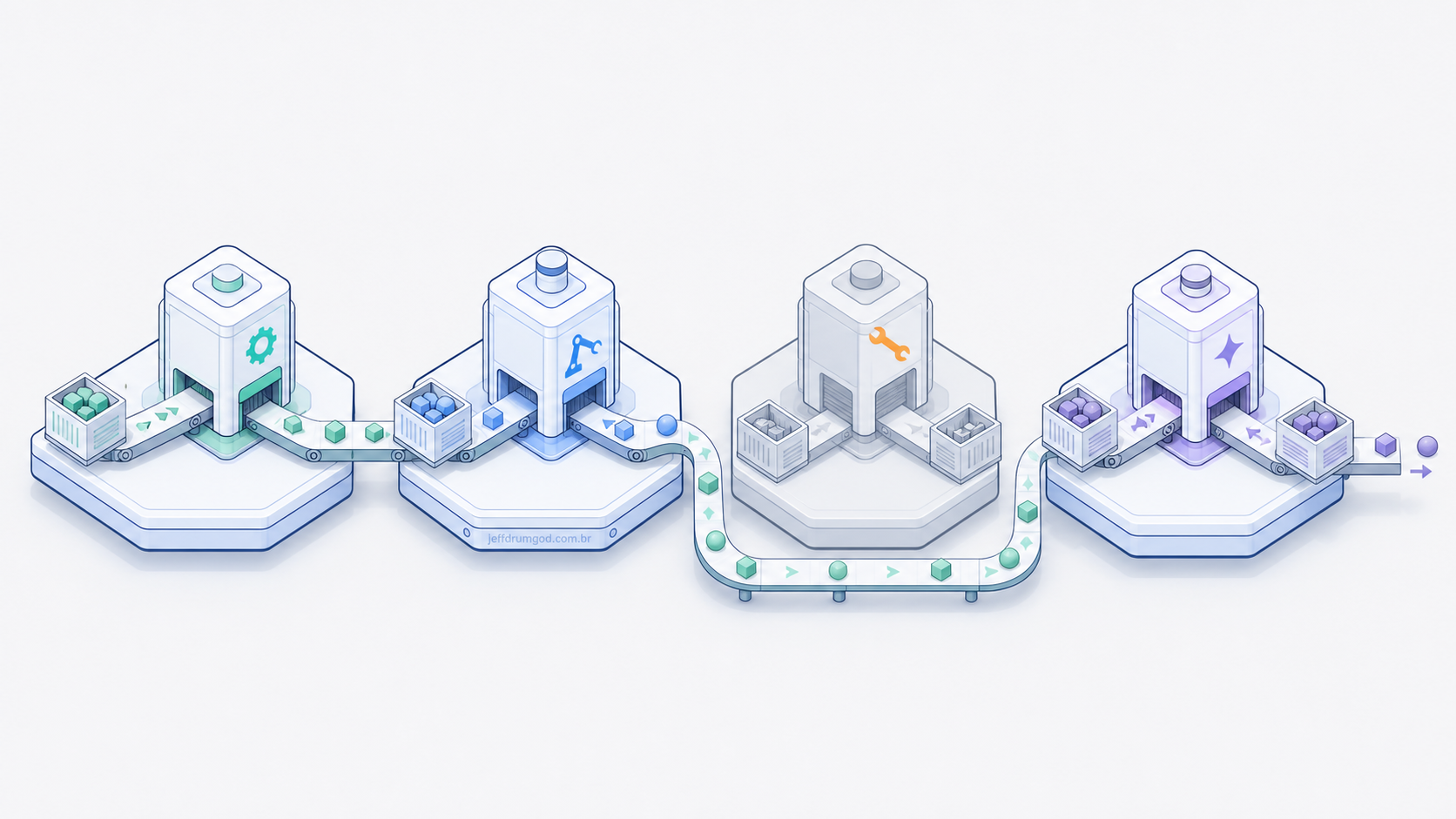
The solution is old in distributed systems and it has a name: durable execution. Instead of one function doing four things, you define a workflow: a sequence of discrete steps, each one persisted the moment it finishes. If a step fails, only it retries. If the infrastructure goes down between steps, the orchestrator picks up where it left off when it comes back.
Think of an assembly line. If station 3 breaks, you don't restart the whole factory. You fix station 3 and the part keeps moving down the line. Each station has an input buffer (the state coming from the previous station) and an output buffer (the state for the next one). That's what a durable workflow does with each step of your pipeline.
The pattern has several mature, production-ready implementations: Temporal, AWS Step Functions, Inngest, Trigger.dev, Restate, Azure Durable Functions, and Cloudflare Workflows, among others. The details change (hosting model, supported languages, cost), but the idea is the same: you describe a series of steps and the orchestrator guarantees durability.
Redesigning the expense tracker on Cloudflare Workflows
The rewrite splits two responsibilities. The entry Worker does only the fast, stateless work: it stores the file and fires the workflow. The durable workflow does the rest, slow and resilient.
// src/index.ts — fast, stateless entrypoint
import { getUserId } from "./lib/auth";
import { ReceiptWorkflow } from "./workflows/receipt";
export { ReceiptWorkflow }; // the class must be exported by the main module

export default {
  async fetch(request: Request, env: Env): Promise<Response> {
    const userId = await getUserId(request, env);
    const form = await request.formData();
    const file = form.get("receipt") as File;

    // the only synchronous work: upload the file and fire the workflow
    const key = `receipts/${crypto.randomUUID()}`;
    await env.BUCKET.put(key, file);

    const instance = await env.RECEIPT_WORKFLOW.create({
      params: { userId, key },
    });

    // responds in a few milliseconds; the pipeline runs behind
    return Response.json(
      { runId: instance.id, status: "processing" },
      { status: 202 },
    );
  },
};
// src/workflows/receipt.ts — the durable workflow
import {
WorkflowEntrypoint,
type WorkflowStep,
type WorkflowEvent,
} from "cloudflare:workers";
import { NonRetryableError } from "cloudflare:workflows";
import { extractText, parseReceipt } from "../lib/receipt";
type Params = { userId: string; key: string };
export class ReceiptWorkflow extends WorkflowEntrypoint<Env, Params> {
async run(event: WorkflowEvent<Params>, step: WorkflowStep) {
const { userId, key } = event.payload;
const ocrText = await step.do(
"ocr-extract",
{
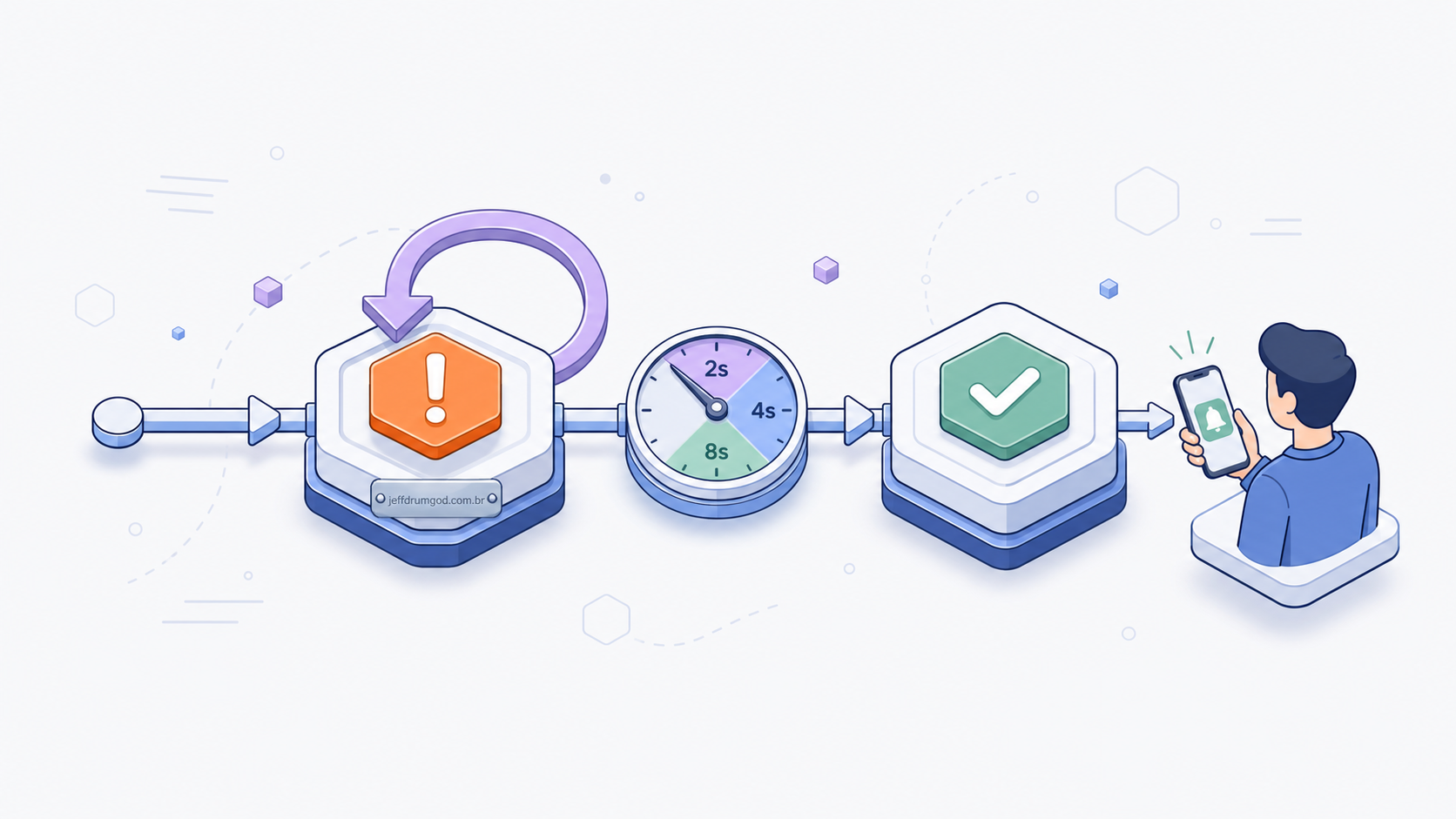
retries: { limit: 5, delay: "2 seconds", backoff: "exponential" },
timeout: "5 minutes",
},
async () => {
// the step's return value is persisted by the orchestrator
return extractText(this.env, key);
},
);
const parsed = await step.do(
"parse-structured",
{ retries: { limit: 3, delay: "1 second", backoff: "exponential" } },
async () => {
const data = await parseReceipt(this.env, ocrText);
if (!data.total) {
// a malformed LLM response won't improve with retry: fail for good
throw new NonRetryableError("parse returned a payload without a total");
}
return data;
},
);
const expenseId = await step.do(
"persist-db",
{ retries: { limit: 10, delay: "3 seconds", backoff: "linear" } },
async () => {
const row = await this.env.DB.prepare(
"INSERT INTO expenses (user_id, merchant, total, date, receipt_key) VALUES (?, ?, ?, ?, ?) RETURNING id",
)
.bind(userId, parsed.merchant, parsed.total, parsed.date, key)
.first<{ id: number }>();
if (!row) throw new Error("insert did not return an id");
return row.id;
},
);
await step.do("notify-user", async () => {
// push or email saying "expense ready"
});
return { expenseId };
}
}And the binding in wrangler.jsonc, which is what wires the class to env.RECEIPT_WORKFLOW:
{
  "workflows": [
    {
      "name": "receipt-workflow",
      "binding": "RECEIPT_WORKFLOW",
      "class_name": "ReceiptWorkflow"
    }
  ]
}
The entry Worker responds in milliseconds, because it only uploads the file and enqueues the workflow, and nobody waits for the OCR. Since each step retries on its own, you can tune it case by case: five attempts with exponential backoff on the OCR, ten on the insert (because deadlocks happen) with linear backoff, three on the parse. Each step's return value is persisted, so if the workflow goes down between parse-structured and persist-db it resumes with parsed already filled in, without redoing OCR or calling the LLM again. The two most expensive stages of the pipeline run exactly once. And the initial payload stays available from the first step to the last, without you serializing anything by hand.
Notice the NonRetryableError in the parse. Not every failure deserves a retry: malformed JSON from the LLM will fail the same way on the next five attempts, so it makes more sense to fail once and send the run off for investigation than to burn attempts for nothing. Knowing how to tell what to retry from what to give up on is half the work of designing a workflow.
What changes when something breaks
Scenario: the OCR service had a spike and returned 503 three times in a row. In the naive approach, the user stared at a spinner for 30 seconds, got a 500, and the file they uploaded vanished. They have to try again, praying.
In the workflow, the file is safe in R2 from second zero. The ocr-extract step tried, failed, waited (exponential backoff: 2s, 4s, 8s, 16s), tried again, and on one of the tries it went through. The user saw nothing, or saw a notification when the expense showed up in the list. The system absorbed the failure without breaking the contract with whoever was on the other side.
That's where the real gain is: the user stays served even when an external provider goes down at three in the morning, and the work already done isn't lost. Writing less code is just a side effect.
Why Workflows when you're already on Cloudflare
What Cloudflare Workflows does well is make the pattern cheap to adopt when your compute already runs on Workers. The workflow is a class in the same project, it reaches the same bindings (R2, D1, KV, Workers AI) via this.env, and it ships in the same wrangler deploy. There's no cluster to maintain and no external queue to provision.
In the example above, the OCR uses Workers AI, the image is in R2, and the expense goes to D1. All three are already one binding away inside the workflow. That's the case where Workflows pays off most: when the pipeline's state and I/O already live on the edge and you just want durability on top, without changing neighborhoods.
Comparing the main orchestrators
Each orchestrator solves durability in its own way. The table compares the main ones and where each shines:
| Orchestrator | Hosting | Execution model | Entry cost | Sweet spot |
|---|---|---|---|---|
| Cloudflare Workflows | Managed on Cloudflare's network | WorkflowEntrypoint class with step.do |
Built into the Workers plan, with a free tier | Pipelines whose compute, data, and storage already live on Cloudflare (Workers, D1, R2, Workers AI) |
| Temporal | Self-hosted or Temporal Cloud | Workers in any language (Go, TS, Java, Python) pulling tasks | Medium (your own cluster) or high (Cloud) | Complex, long-running workflows; teams that accept operational complexity |
| AWS Step Functions | Managed AWS | Declarative state machine (ASL) or TS via CDK | Low (pay-per-transition) | Teams already on AWS integrating with Lambda/SQS/DynamoDB |
| Inngest | Managed (also self-host) | TS/Python functions with step.run |
Generous free tier | A modern Node stack with developer experience as a priority |
| Trigger.dev | Managed (also self-host) | TS tasks with await retry() and checkpoints |
Free tier, then usage-based | Next.js/Remix teams wanting background jobs without reinventing them |
| Restate | Self-hosted (Rust binary) or Restate Cloud | TS/Java/Kotlin with a durable SDK | Low, simple to stand up | Teams wanting durable execution without operating an extra Cassandra/Postgres |
| Azure Durable Functions | Managed Azure | C#/JS/Python via the Functions extension | Low (consumption plan) | A Microsoft stack, integrating with the rest of Azure |
The right choice is the one that fits the stack you already operate and the kind of workflow you need to run. If your backend is on AWS, Step Functions takes advantage of the neighborhood the same way Workflows does on Cloudflare.
When this pattern is worth it
It's worth it when you have:
- Chains of two or more steps that can fail independently.
- Long jobs, above your function's natural timeout.
- External integrations with a flaky SLA: third-party APIs, AI providers, payment gateways.
- Expensive side effects you want to avoid repeating: LLM calls, OCR, video transcoding.
- A need for traceability, with each run becoming an auditable record.
It's not worth it when it's a single fast synchronous call (POST /login, GET /products), because the overhead of spinning up a workflow doesn't pay off. It also doesn't pay off for pure fire-and-forget work like logging or metrics, where a simple queue (Cloudflare Queues, SQS, BullMQ) solves it more cheaply. And if end-to-end latency is measured in milliseconds for the end user, remember that the workflow adds an orchestration hop.
Other cases where the pattern fits
Once you get the pattern, you start seeing pipelines everywhere:
- Image or text moderation: upload → NSFW analysis → trademark analysis → quarantine or release.
- Multi-step onboarding: create account → provision tenant → seed sample data → send email → charge the first month.
- Document processing: PDF → page extraction → per-page OCR → vector indexing → notification.
- Light ETL: pull from source → normalize → deduplicate → write to the warehouse → refresh dashboard.
- Agentic AI pipelines: planning → tool calls → consolidation → reflection → response.
The domain changes, the stack changes, but the skeleton is the same, and which orchestrator runs underneath matters less than it seems.
Honest trade-offs
Nobody gives you durable execution for free. You trade some problems for others, and it's worth knowing which before adopting:
- Debugging gets less linear. A stack trace doesn't tell the whole story, and you have to look at the instance's event history in the orchestrator's dashboard. The learning curve is real.
- SDK lock-in. Switching from Temporal to Inngest, or from Workflows to Step Functions, isn't grep & replace, because the semantics of retry, checkpoint, and versioning change.
- Idempotency becomes mandatory. Each step can run more than once (retry, replay during recovery). If your insert creates a duplicate instead of an upsert, you have a bug.
- Extra orchestration latency. Each step has a persistence cost. A workflow with 20 steps piles up that overhead, so don't use it for something that has to be instant.
- Versioning is the delicate part. Changing the order or semantics of steps with runs in flight takes care, and each orchestrator has its own strategy. Additive deploys (new steps at the end, optional parameters) are the safe path.
- Financial cost. At volume you pay per execution. Do the math before moving a pipeline of millions of runs a day.
None of these is a deal-breaker. They're all reasons not to throw a workflow on top of any endpoint just because it's trendy.
Closing
Durable execution is an old idea. Step Functions launched in 2016, Temporal in 2019, and the concept already showed up in systems like Cadence and .NET's Workflow Foundation. What changed is the entry cost: today you can have durable steps without keeping an SRE team just for that, and on Cloudflare without even leaving the project you already deploy.
If you have a handler in your codebase that does three or four things in a row and prays none of them fails, that's your candidate. Break it into steps, let the state be persisted between them, and hand the rest to the orchestrator. If your compute is already on Cloudflare, start with Workflows and measure the rest.
See other blog posts on edge architecture and backend practices.